
How to increase your resource management maturity to support data-driven decisions
How to increase your resource management maturity to support data-driven decisions

Efficient resource management is a critical element in achieving successful project and portfolio management (PPM). Whether you're just starting out or looking to optimize a mature PPM process, this whitepaper offers real-world success stories and actionable insights tailored to your organization’s specific needs.
Practical insights: Real-world success stories of life sciences companies progressing from basic to advanced PPM maturity.
Tailored strategies: Proven methods to enhance resource planning and allocation for strategic growth.
Data-driven impact: Understand how improved resource management fosters better decision-making and project outcomes.
Unlock your free copy
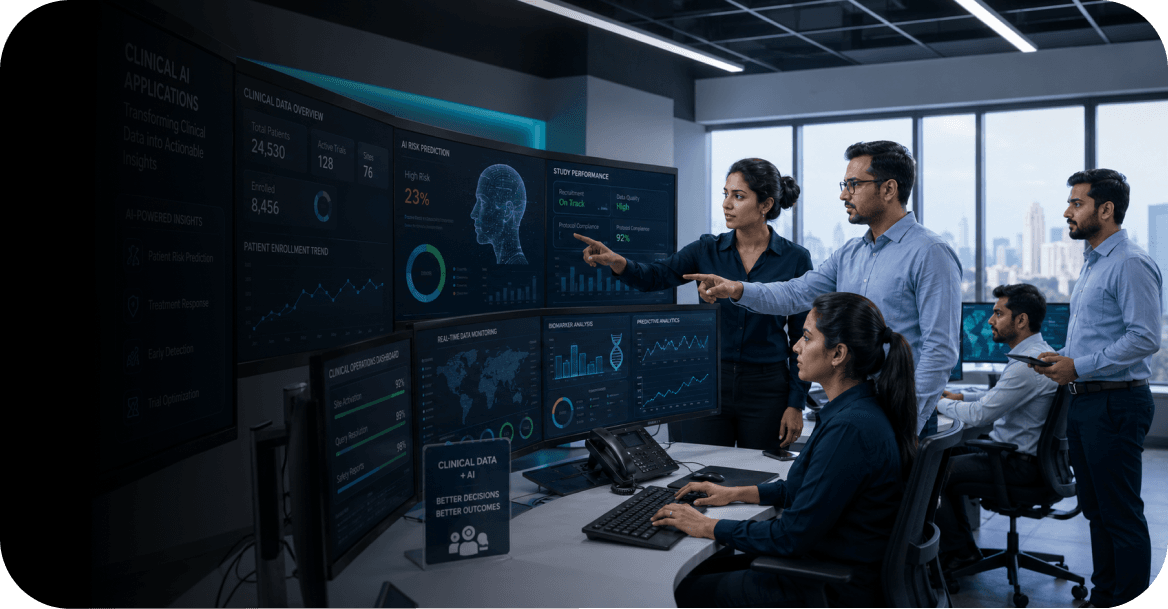
Five clinical AI applications that clinical data and operations teams can use right away
The conversation around AI in clinical applications today tends to exist at one of two extremes. Either it is omniscient, AI will redesign trials, eliminate manual work, and compress drug development timelines overnight, or it is dismissive, treating every vendor claim as hype until proven otherwise. Neither position is particularly useful for a clinical data leader trying to make practical decisions about where to invest.The reality is more specific: there are a handful of AI and analytics applications that are genuinely working in clinical operations today, delivering measurable outcomes, and that have been built and deployed in GxP-compliant environments. They are not transforming the industry. They are solving specific, well-defined problems and that is precisely why they work.What follows is i2e's view of those applications, drawn from clinical data engagements with global pharma companies and CROs. These are not capabilities we are building toward. They are outcomes that we have already delivered.ML driven protocol risk predictionThe problem: A clinical protocol goes into execution carrying quality risks that are often visible in retrospect, the wrong site mix, a design that has historically generated high Significant Quality Event (SQE) rates in similar therapeutic areas, an enrolment target that puts pressure on monitoring capacity. By the time those risks manifest as actual quality events, the cost of correction is high.What AI can do: Machine learning models trained on historical SQE data can assess the risk profile of a new or ongoing protocol before quality events occur. The inputs are patterns from past studies, which protocol types, site characteristics, and therapeutic contexts have historically been associated with elevated SQE rates, and the output is a risk score that directs monitoring resources and training effort to where they are most needed.What we built: For a global pharmaceutical company, i2e developed a three-phase clinical quality solution. The first phase automated the SQE notification and summarisation process, eliminating the manual database queries that subject matter experts had previously relied on to identify and document events. The second phase introduced trend analytics across the historical SQE record, giving the team structured visibility into patterns that had previously been invisible across studies. The third phase delivered an ML model that generates SQE probability scores for new protocol designs and surfaces the most relevant historical analogues from past studies for comparison.The outcome was a reduction in manual monitoring effort, fewer site retraining cycles, and a clinical team with a quantitative basis for protocol risk decisions, rather than relying solely on expert intuition. The model supports judgment, it does not replace it.Dealing with similar protocol quality challenges? See how we solved it hereReal-time clinical portfolio and enrolment analyticsThe problem: Portfolio visibility in clinical operations is often a lagging indicator. Study status, enrolment progress, milestone achievement, and site performance data live in separate systems, the CTMS, the EDC, the PPM platform, and assembling a coherent picture requires manual extraction and reconciliation that takes days. By the time leadership sees it, it reflects the past rather than the present.What AI and analytics can do: Connecting clinical data sources into a unified, governed reporting layer converts portfolio visibility from a periodic, manual exercise into a live operational capability. With integrated data, study teams can identify lagging protocols, track enrolment against plan at the site level, and align R&D and operational leaders on a shared, real-time view, without waiting for the next reporting cycle.What we built: For a mid-sized pharma company managing a growing portfolio across multiple development phases, i2e integrated data from the CTMS and PPM platform into a unified Starburst database, then built custom Power BI dashboards across four views: Portfolio health overview with study status and development goal trackingDevelopment goals dashboard with protocol-level drill-downs and base, stretch, and corporate KPI trackingPipeline summary showing study progression across phasesEnrolment analytics view covering key timeline anchors, first patient enrolled, last patient enrolled, last patient last visit, across all active protocols.The engagement replaced a manually intensive Spotfire-based reporting process that clinical and senior leadership had found increasingly inadequate as the portfolio grew. The result was a single source of truth, early visibility into timeline risks at the protocol level, and a reporting capability that grew with the portfolio rather than against it.Read how we built this for a mid-sized pharma company here.Automated anomaly detection in clinical data reviewThe problem: Clinical data quality review is one of the most manual, volume intensive processes in trial operations. In pharmacokinetics, for example, reviewers must check measurements across multiple sites and timepoints for abnormalities that could indicate data entry errors, protocol deviations, or genuine physiological signals requiring clinical attention. Manual review is slow, inconsistent across reviewers, and difficult to audit, and the absence of centralised access controls and logging compounds the governance risk.What AI and analytics can do: Automated anomaly detection, configured with domain specific threshold logic, can scan clinical datasets systematically and surface issues at the subject level for human review. The goal is not to remove clinical judgement from the process, it is to direct it. Reviewers spend their time on flagged records that warrant attention, not on scanning clean data for problems that are not there.What we built: For a global pharma company, i2e built a custom application for automated PK data review. The application scans data automatically from secure drives or manual upload, applies configurable threshold parameters to identify abnormalities, and presents findings at the subject level with box plot visualisations that make outliers and trends immediately apparent. It was designed from the outset around privacy-first data handling, displaying only selected, non-sensitive data points and never storing or exposing full datasets, with full audit logging of every user action for regulatory accountability. Threshold settings and user access are managed by administrators, ensuring governance controls remain in the hands of the clinical data team.The outcome was materially faster data reviews, reduced manual error, and a compliant, auditable environment for sensitive clinical data that the previous manual process had not been able to provide.Recognise this problem in your own team? See how we approached it here.Centralised pharmacovigilance reporting with automated workflowsThe problem: Pharmacovigilance reporting is a high stakes, high volume process, and for many organisations, a chronically inefficient one. Aggregate report generation, template management, and approval workflows are manual and fragmented. Reports are produced inconsistently, version control is absent or informal, audit trails are incomplete, and the underlying data comes from multiple disconnected sources that are never fully reconciled. As regulatory demands grow and data volumes increase, the system strains and eventually breaks down and teams resort to completing complex reports outside the system entirely.What AI and analytics can do: Automating the reporting workflow, from data aggregation and template driven report generation through to approval routing, versioning, and secure distribution transforms pharmacovigilance reporting from a fragile, manual process into a scalable operational capability. Consistent, versioned, auditable reports are also the prerequisite for any meaningful safety signal analytics: you cannot identify trends in data you cannot trust.What we built: For a global pharma leader, i2e designed and built a future-ready safety reporting platform. The solution includes a web-based admin console for centralised scheduling, workflow management, and control of key reporting inputs; dynamic report generation using configurable templates that pull from safety, clinical, operational, and historical data sources; automated aggregate report workflows with real-time data updates, full versioning, and audit trails for every report produced; integrated project and resource management so that the reporting lifecycle, who is working on what, by when, is tracked centrally; and secure, scalable distribution to SharePoint, Amazon S3, or document management systems.The result was a measurable increase in reporting efficiency, a platform that scaled with data volume rather than collapsing under it, and an audit-ready environment where every report could be traced from its source data to its final output, a standard that the previous process had not been able to meet.Read more about this case study here.Generative AI for clinical operations query resolutionThe problem: Research pharmacists, study coordinators, and clinical operations specialists spend a significant amount of time answering repetitive questions, queries from study teams about investigational product handling, protocol requirements, or operational procedures that are already documented but not easily accessible. The cost is not just the time spent answering. It is the time not spent on the complex, judgement-intensive work that actually requires their expertise.What generative AI can do: A document-grounded generative AI chatbot, built on the right knowledge base with appropriate escalation logic, can handle the high volume of routine queries that consume expert time such as providing fast, accurate responses from authorised source documents, routing genuinely novel questions back to the appropriate specialist, and over time building a picture of where knowledge gaps exist in training documentation. This is one of the cleaner applications of generative AI in clinical settings: bounded, auditable, and designed to protect rather than replace expert judgement.What we built: For a pharma client managing queries across more than 500 active clinical studies, i2e built a generative AI chatbot using Amazon SageMaker's generative AI capabilities with a Kore.ai conversational interface. The chatbot was trained on the investigational product manual and configured through prompt engineering to deliver precise, contextually appropriate responses to study team queries. An automated notification system routes escalations, questions the chatbot cannot answer from the documented knowledge base, directly to the responsible research pharmacist via email. The system also functions as a knowledge repository, recording query patterns over time to identify training gaps that the IP manual should address.The outcome was a material reduction in time that research pharmacists spent on routine query resolution, faster response times for study teams, a reduction in the risk of outdated practices being applied at trial sites, and a structured mechanism for continuously improving the quality of investigational product training, something the previous process had no way of doing systematically.Read how we built this for a pharma team managing 500+ active studies here.What this means for your organizationLooking across these five applications, a consistent pattern emerges. None of them are general AI platforms deployed against raw clinical data. Each one was scoped to a specific operational problem, built on top of clean or cleaned data, designed with human review and escalation built in, and validated to the compliance standards that a GxP environment requires.That specificity is not a limitation. It is what makes them deployable.The organisations best positioned to benefit from AI in clinical operations are not those that have signed enterprise AI platform agreements. They are the ones that have done the less visible work first: connecting their clinical systems, standardising their data, establishing governance and auditability, and building the reporting foundations that give study teams reliable operational intelligence. When those conditions are in place, AI applications like the five described here become accessible, and their value becomes measurable.For most organisations, some of that foundational work is still outstanding. That is where the journey starts.i2e Consulting provides clinical data engineering, AI/ML, analytics, system integration, and statistical programming services to CROs and life sciences organisations. If you are evaluating where AI fits in your clinical data strategy, we would be glad to talk. FAQs .faq-wrapper { max-width: 850px; margin: 20px auto; font-family: 'Open Sans', sans-serif; } .faq-item { border-bottom: 1px solid #e0e0e0; padding: 10px 0; } .faq-item summary { font-family: 'Montserrat', sans-serif; font-size: 18px; font-weight: 600; cursor: pointer; list-style: none; position: relative; padding-right: 30px; } /* Remove default marker */ .faq-item summary::-webkit-details-marker { display: none; } /* Down arrow (closed state) */ .faq-item summary::after { content: "▼"; position: absolute; right: 0; top: 0; font-size: 16px; transition: transform 0.3s ease; } /* Up arrow (open state) */ .faq-item[open] summary::after { content: "▲"; } .faq-item p { margin-top: 12px; font-family: 'Open Sans', sans-serif; font-size: 17px; line-height: 1.7; color: #272727; } 1. How can AI improve clinical data management? AI improves clinical data management by automating data review, identifying anomalies, integrating data from multiple clinical systems, and providing real-time analytics. Machine learning models can detect potential quality issues earlier, while AI-powered dashboards and reporting tools help clinical teams make faster, data-driven decisions with greater confidence. 2. What are the most practical AI applications in clinical trials today? AI in clinical trials is being used to solve specific operational challenges rather than replace clinical teams. Some of the most practical clinical AI applications include protocol risk prediction, real-time portfolio analytics, automated anomaly detection in clinical data, pharmacovigilance automation, and generative AI for clinical operations support. These applications help improve data quality, accelerate decision-making, reduce manual effort, and enhance regulatory compliance. 3. How does AI improve clinical operations? AI improves clinical operations by automating repetitive tasks, integrating data from multiple clinical systems, identifying risks earlier, and providing real-time insights for study teams. Organizations use AI for monitoring protocol quality, detecting anomalies in clinical data, streamlining pharmacovigilance reporting, and enabling faster access to operational knowledge through generative AI assistants. The result is greater efficiency, improved data accuracy, and better-informed clinical decisions.

How to build AI-ready clinical data: why data integration and governance matter
Most AI initiatives in clinical research don't fail because the model was wrong. They fail because the data underneath it was never ready.Clinical teams have heard some version of the AI pitch for years now: faster signal detection, smarter monitoring, sharper recruitment. Most of it assumes the data is already in shape to support it.It usually isn't.This is not a technology gap. It's a readiness gap.Why AI in clinical research depends on data readinessClinical trials generate more data than at any point in the industry's history: EDC, CTMS, eTMF, safety databases, labs, wearables, ePRO, real-world data. Each system tells part of the patient or trial story. None of them tell the whole story alone.A model predicting enrollment risk needs CTMS timelines, site history, and protocol complexity in the same view. A model flagging safety signals earlier needs adverse events connected to lab trends and exposure data, not sitting in separate systems on separate update schedules.NIH's 2025-2030 Strategic Plan for Data Science makes this explicit, naming the improvement of clinical and human-derived data as one of its core goals, with better access to clinical data sources, wider adoption of interoperability standards, and governance built specifically for linking data across systems.Data readiness, not algorithm sophistication, is the binding constraint on AI in clinical trials.The fragmentation problemFragmentation isn't the exception in clinical data environments. It's the default.EDC, CTMS, eTMF, safety, labs, wearables, ePRO, and real-world data typically arrive from different vendors, on different timelines, in different formats. The same clinical concept can be coded differently across systems, and reconciliation happens manually or in batches, introducing lag between when something happens and when it's visible. Metadata is thin, so nobody can say with confidence whether a dataset is fit for a given use, and wearable and ePRO data bring their own noise and missingness on top of all this.None of this is new to clinical data management teams. What's new is the cost of ignoring it. A model trained on fragmented, inconsistently governed data doesn't correct for that fragmentation. It reproduces it, often in ways that stay invisible until a decision has already been made on faulty output.What "AI-ready" actually meansAI-ready clinical data is not simply digitized data. Drawing on the criteria the NIH's Bridge2AI program has developed for biomedical data more broadly, AI-ready data is:Documented. Metadata describes origin, transformation, and quality well enough to judge fitness for a specific use.Standardized. Common data models and controlled vocabularies let data from different sources combine without manual mapping.Connected. Related data points across systems and visits link reliably to a single patient or trial record.Governed. Ownership, access, lineage, and audit trails exist for every dataset in use.Ethically sourced. Consent and provenance are documented, not assumed.None of this comes from adding an AI layer on top of existing systems. It comes from treating integration and governance as the foundation the AI layer sits on.Integration builds the foundationClinical data integration is the practical work of connecting EDC, CTMS, eTMF, safety, labs, wearables, ePRO, and RWD into one coherent, analyzable structure, with traceable, near real-time data flow instead of one-off, ad hoc pipelines.Integration is what turns disconnected systems into a connected clinical data ecosystem. Governance is what makes that ecosystem trustworthy.Why governance can't be optionalIntegration connects the data. Governance decides whether anyone should trust it.The stakes only rise from here. The same dataset that becomes standardized and connected enough to feed one AI model becomes attractive to every other pipeline that could use it next, a different analytics project, a portfolio report, a second model entirely. Data built to be reused needs governance built to match. Without it, a single ungoverned dataset doesn't stay a single risk. It becomes the shared foundation under every project that draws on it.Across NIH's Bridge2AI program, governance hasn't functioned as a single checkpoint. It's a set of decisions revisited at every stage: what data gets selected and why, how consent is handled, where data lives, who can access or reuse it. NIH's Strategic Plan for Data Science extends the same logic into clinical research directly, calling for stronger governance around linking clinical data across sources and standardized consent when combining multiple systems.For clinical data leaders, this plays out across a few dimensions: metadata that documents origin and intended use, lineage that traces how data moved and changed, quality management applied consistently, standards adherence that keeps data interoperable across studies, auditability that can reconstruct what supported a decision, and regulatory alignment with FDA's expectations.The FDA's January 2025 draft guidance on AI in regulatory decision-making is unambiguous on this point: the quality, relevance, and traceability of data determine whether an AI-driven output can be trusted in a submission. Governance isn't the thing slowing AI down. It's the thing that lets it move with confidence.The standards that make this possibleA handful of standards turn integration and governance from a one-off reconciliation exercise into something repeatable: FAIR principles, CDISC, HL7 FHIR, OMOP, and controlled vocabularies like MedDRA and SNOMED CT. Each solves a different part of the AI-readiness problem.StandardWhat it standardizesWhat it contributes to AI-readinessFAIR principlesDiscoverability and reuse of data assetsMakes data findable and reusable across projects, not locked to the one it was collected forCDISC (CDASH, SDTM, ADaM)Trial data structure, from collection through analysisGives models a consistent structure to train and validate against across studiesHL7 FHIRInteroperability between clinical trial and EHR dataConnects trial data to real-world clinical context a model may needOMOPCommon structure for real-world and observational dataLets real-world data combine with trial data without custom mapping per sourceControlled vocabularies (MedDRA, SNOMED CT)Consistent clinical terminologyPrevents a model from treating the same clinical concept as different signals across sourcesAdopt these once, and the data foundation gets reused across every AI use case that follows, instead of being re-engineered for each one.How fragmented data becomes AI-readyWhere AI-ready data actually pays offRisk-based monitoring : Connected CTMS, EDC, and safety data surface site-level risk earlier, directing oversight where it's actually needed.Patient recruitment : Integrated site history and real-world data sharpen feasibility assessment and site selection, cutting into enrollment delays.Trial and protocol optimization : Unified operational and historical protocol data supports timeline forecasting, amendment-impact analysis, and design decisions that reduce complexity in future trials.Safety signal detection : Connected adverse event, lab, and exposure data surface emerging patterns earlier than manual review, with the traceability FDA guidance expects in regulatory contexts.Post-marketing safety prediction : The same connected, governed data that supports signal detection during a trial extends naturally beyond it. Linking trial safety data with real-world sources like claims and EHR data through common models such as OMOP supports earlier, more predictive assessment of safety risk once a product reaches market, rather than waiting for adverse events to accumulate through passive reporting alone.Predictive analytics : Across every case above, the pattern repeats: predictive value is downstream of data readiness, not a capability bolted on top of it.Traditional clinical data vs. AI-ready clinical dataDimensionTraditional clinical dataAI-ready clinical dataSystem structureSiloed across EDC, CTMS, eTMF, safety, labsIntegrated into a connected clinical data ecosystemData standardsInconsistent formats and terminologyStandardized via CDISC, FHIR, OMOP, controlled vocabulariesMetadataLimited or inconsistentComprehensive, describing origin, transformation, qualityData lineageDifficult to traceFully traceable, source to useData qualityAssessed after issues surfaceManaged proactively against defined standardsAccess and governanceAd hoc, unclear ownershipDefined ownership, access controls, audit trailsUpdate cadencePeriodic, batch-basedNear real-time, aligned to operational needRegulatory postureAssembled for submission after the factBuilt for auditability, aligned to FDA expectationsIs your clinical data AI-ready?Where i2e fits and why this mattersAt i2e, we treat AI-readiness as an engineering discipline, not a data science afterthought:We connect what's fragmented, not just what's convenient. EDC, CTMS, eTMF, safety, labs, wearables, ePRO, and RWD come together into a governed, unified ecosystem built to scale across studies, not just the one in front of us.We standardize once and reuse everywhere. Data structures align to CDISC, FHIR, and OMOP from the start, so integration work done for one AI use case doesn't have to be redone for the next.We build governance in, not on. Metadata, lineage, and auditability are engineered as properties of the data itself, not controls bolted on later for inspection readiness.We bring our own clinical data expertise. Our team includes clinical data engineers and domain specialists who understand trial data structures directly, so we're not heavily dependent on client resources to interpret the data we're working with.Final thoughtAI in clinical research isn't held back by a shortage of ambition. It's held back by data that's fragmented, inconsistently governed, and hard to trust the moment a model needs it. The organizations making real progress aren't the ones with the most advanced models. They're the ones that treated integration and governance as the starting point, not an afterthought. AI doesn't begin with the model. It begins with the quality, connectivity, and governance of the data behind it. FAQs .faq-wrapper { max-width: 850px; margin: 20px auto; font-family: 'Open Sans', sans-serif; } .faq-item { border-bottom: 1px solid #e0e0e0; padding: 10px 0; } .faq-item summary { font-family: 'Montserrat', sans-serif; font-size: 18px; font-weight: 600; cursor: pointer; list-style: none; position: relative; padding-right: 30px; } /* Remove default marker */ .faq-item summary::-webkit-details-marker { display: none; } /* Down arrow (closed state) */ .faq-item summary::after { content: "▼"; position: absolute; right: 0; top: 0; font-size: 16px; transition: transform 0.3s ease; } /* Up arrow (open state) */ .faq-item[open] summary::after { content: "▲"; } .faq-item p { margin-top: 12px; font-family: 'Open Sans', sans-serif; font-size: 17px; line-height: 1.7; color: #272727; } 1. What does "AI-ready clinical data" mean? Clinical data that is standardized, connected across source systems, and governed with documented metadata, lineage, and audit trails, so it can support reliable AI analysis and withstand regulatory scrutiny.each other, aligning drug development, commercialization, and investment decisions across the asset lifecycle. 2. Why can't AI models work with fragmented clinical data? Fragmented data forces AI models to draw conclusions from an incomplete or inconsistent picture. Errors, gaps, and inconsistencies in the source data get reproduced and amplified in the model's output. 3. Which standards matter most for AI-ready clinical trial data? CDISC (CDASH, SDTM, ADaM), HL7 FHIR, the OMOP common data model, FAIR data principles, and controlled vocabularies such as MedDRA and SNOMED CT.

Why Clinical trials need an AI-enabled audit trail dashboard
Why clinical trials need an AI-enabled audit trail dashboard The difference between a compliant audit trail and an intelligent one is not just technology. It is how fast you can act on what you find. The Audit Problem Nobody Talks About Ask any clinical data manager or quality lead how audit trail reviews actually happen at their organization, and the answer is usually some version of the same story: someone raises a concern, a team scrambles to pull logs from the EDC, exports are stitched together in Excel, and a few hours or days later, there is a partial picture of what may or may not have gone wrong. This is the reactive audit trap. And in a multi-system clinical trial environment where data flows across EDC, CTMS, RBQM, ePRO, and Safety platforms, it is not just inefficient. It is a compliance risk. The problem is not that teams do not care about audit trails. It is that most organizations have been treating them as a forensic tool, something you reach for when things go wrong, rather than a continuous, intelligence-generating layer of trial oversight. That needs to change. And regulatory guidance is making it clear that it must. What ICH E6(R3) Actually Requires The updated ICH E6(R3) Good Clinical Practice guideline (Section 4.2.3) is explicit: audit trail review must be risk-based and ongoing, not limited to for-cause or end-of-study audits. It must be adjusted based on what is actually happening during the trial, which means a static, one-size-fits-all review process no longer meets the bar. This shift is significant. It moves audit trail review from a compliance checkbox into a continuous quality activity, one that sits firmly within the Risk-Based Quality Management (RBQM) framework. The FDA has echoed this direction. At the Duke-Margolis convening in early 2024, regulators made the connection explicit: RBQM is process control, and process control requires process data. Audit trail data, including timestamps from EDC entries, IRT interactions, ePRO open/close events, and CTMS activity, is that process data. Without it, what you have is operational metrics and dashboard views, but not a true picture of how a trial is actually being conducted at the site level. From Logs to Intelligence: What "AI-Enabled" Really Means An audit trail log tells you what happened. An AI-enabled audit trail dashboard tells you what it means and flags it before it becomes a problem. The distinction matters in practice. Consider ePRO data entry: a site entering patient-reported outcomes on behalf of participants is a known compliance risk. It is also surprisingly hard to catch with manual review. But when you analyze the time gaps between consecutive ePRO device opens, a metric known as open-to-open time, unusual patterns become statistically visible. A site where every data entry session opens at almost exactly the same interval, day after day, is not a coincidence. It is a signal. This kind of detection requires three things working together: Starting with risk rather than data, building a centralized and validated data layer across all clinical systems, and removing every manual step between a signal and an action. Each pillar depends on the one before it. Without the right risks defined upfront, even the best data infrastructure produces noise. Without clean, harmonized data, no analytics will hold up to regulatory scrutiny. And without a frictionless workflow, even the most sophisticated detection goes unacted on. What the Dashboard Actually Surfaces In practice, an AI-enabled audit trail dashboard operating across a clinical trial programme provides visibility that simply is not possible with manual review. Site-level behavioral patterns identify which sites show unusual data entry timing, high rates of unexplained data modifications, or atypical query resolution sequences. Trend detection over time distinguishes between a one-off anomaly and a sustained pattern using statistical process control methods, so teams focus on the signals that actually matter. Cross-system correlation connects EDC activity with CTMS records, ePRO timestamps, and safety data to build a complete picture of what is happening at a site. Risk-prioritized views ensure that when you are running 100 or more sites with dozens of metrics each, aggregation and clustering methods surface which sites need attention rather than flooding monitors with undifferentiated alerts. Inspection-ready outputs generate structured, regulator-formatted evidence without manual assembly, so compliance reporting does not become a separate workstream. The Maturity Gap and Why It Matters Now Most sponsors and CROs today sit somewhere between structured and efficient in their audit trail capabilities, doing enough to feel organized, but still firefighting when something unexpected surfaces. The challenge is that "good enough" is no longer the regulatory bar. ICH E6(R3) has been in effect for over a year, and regulatory tolerance for reactive, ad-hoc approaches is narrowing. The organizations that will be well-positioned through the next wave of inspections are those building trusted audit trail programmes where the data is fit for purpose, the analytics are validated, and the follow-up is systematic. Moving from reactive to trusted does not happen overnight, but it also does not require starting from scratch. It requires a clear methodology, the right data infrastructure, and clinical trial expertise to make sense of what the data is actually saying. How i2e Approaches Audit Trail Intelligence At i2e Consulting, audit trail analytics sits at the intersection of our Clinical Data Engineering and Clinical Data Sciences capabilities. We help sponsors and CROs build the data foundation first: integrating audit trail data from EDC, CTMS, RBQM, ePRO, and Safety systems into centralized, harmonized architectures with consistent metric definitions. On that foundation, our teams apply AI and analytics to surface meaningful signals, moving from descriptive statistics into time-trend analysis, site clustering, and root cause investigation. Every architecture we design is built for GxP and 21 CFR Part 11 compliance from the start. Our certified teams work across Veeva, Dataiku, Databricks, and REDCap Cloud, so implementation fits into the ecosystem you already have. The Bottom Line Audit trails have always existed in clinical trials. What is changing is the expectation around how they are used, not as a forensic record, but as a live, intelligent layer of quality oversight that operates throughout the trial lifecycle. Building that capability requires more than buying a tool or writing guidance. It requires clean, connected data; analytics that are fit for purpose; and a workflow that removes friction rather than adding it. If your organization is still pulling audit logs reactively, the question is not whether to change. ICH E6(R3) has already answered that. The question is how quickly you can build the infrastructure and expertise to do it systematically. That is exactly what i2e is built to help with. Interested in building a fit-for-purpose audit trail analytics capability for your clinical programme? Explore our Clinical Data Solutions. .faq-wrapper { max-width: 850px; margin: 20px auto; font-family: 'Open Sans', sans-serif; } .faq-item { border-bottom: 1px solid #e0e0e0; padding: 10px 0; } .faq-item summary { font-family: 'Montserrat', sans-serif; font-size: 18px; font-weight: 600; cursor: pointer; list-style: none; position: relative; padding-right: 30px; } /* Remove default marker */ .faq-item summary::-webkit-details-marker { display: none; } /* Down arrow (closed state) */ .faq-item summary::after { content: "▼"; position: absolute; right: 0; top: 0; font-size: 16px; transition: transform 0.3s ease; } /* Up arrow (open state) */ .faq-item[open] summary::after { content: "▲"; } .faq-item p { margin-top: 12px; font-family: 'Open Sans', sans-serif; font-size: 17px; line-height: 1.7; color: #272727; } 1. What is an AI-enabled audit trail dashboard? An AI-enabled audit trail dashboard consolidates audit trail data from systems such as EDC, CTMS, ePRO, RBQM, and safety platforms to identify patterns, anomalies, and compliance risks. Instead of reviewing raw logs manually, teams receive prioritized insights that support faster investigations, continuous oversight, and better decision-making throughout the clinical trial lifecycle. 2. How is an AI-enabled audit trail dashboard different from a traditional audit trail? A traditional audit trail records who changed what, when, and why within a system. An AI-enabled audit trail dashboard goes further by analyzing audit trail data across multiple clinical systems to detect trends, identify unusual site behavior, prioritize high-risk events, and provide actionable insights that support proactive quality management. 3. Why is audit trail review becoming more important under ICH E6(R3)? ICH E6(R3) emphasizes continuous, risk-based oversight throughout a clinical trial rather than relying solely on reactive or end-of-study reviews. This means audit trail reviews should help identify emerging quality and compliance risks during trial execution, supporting Risk-Based Quality Management (RBQM) and improving inspection readiness. 4. How does AI improve audit trail review in clinical trials? AI analyzes large volumes of audit trail data to identify anomalies, detect behavioral patterns, prioritize high-risk events, and reduce manual review effort. This enables clinical operations and quality teams to focus on meaningful signals, accelerate investigations, and improve oversight across complex, multi-system clinical trials. 5. What systems should be included in an AI-enabled audit trail dashboard? A comprehensive audit trail dashboard should integrate data from Electronic Data Capture (EDC), Clinical Trial Management Systems (CTMS), Risk-Based Quality Management (RBQM) platforms, ePRO, Interactive Response Technology (IRT), and safety systems. Bringing these data sources together provides a unified view of trial activity, enabling cross-system analysis and more effective risk monitoring.
